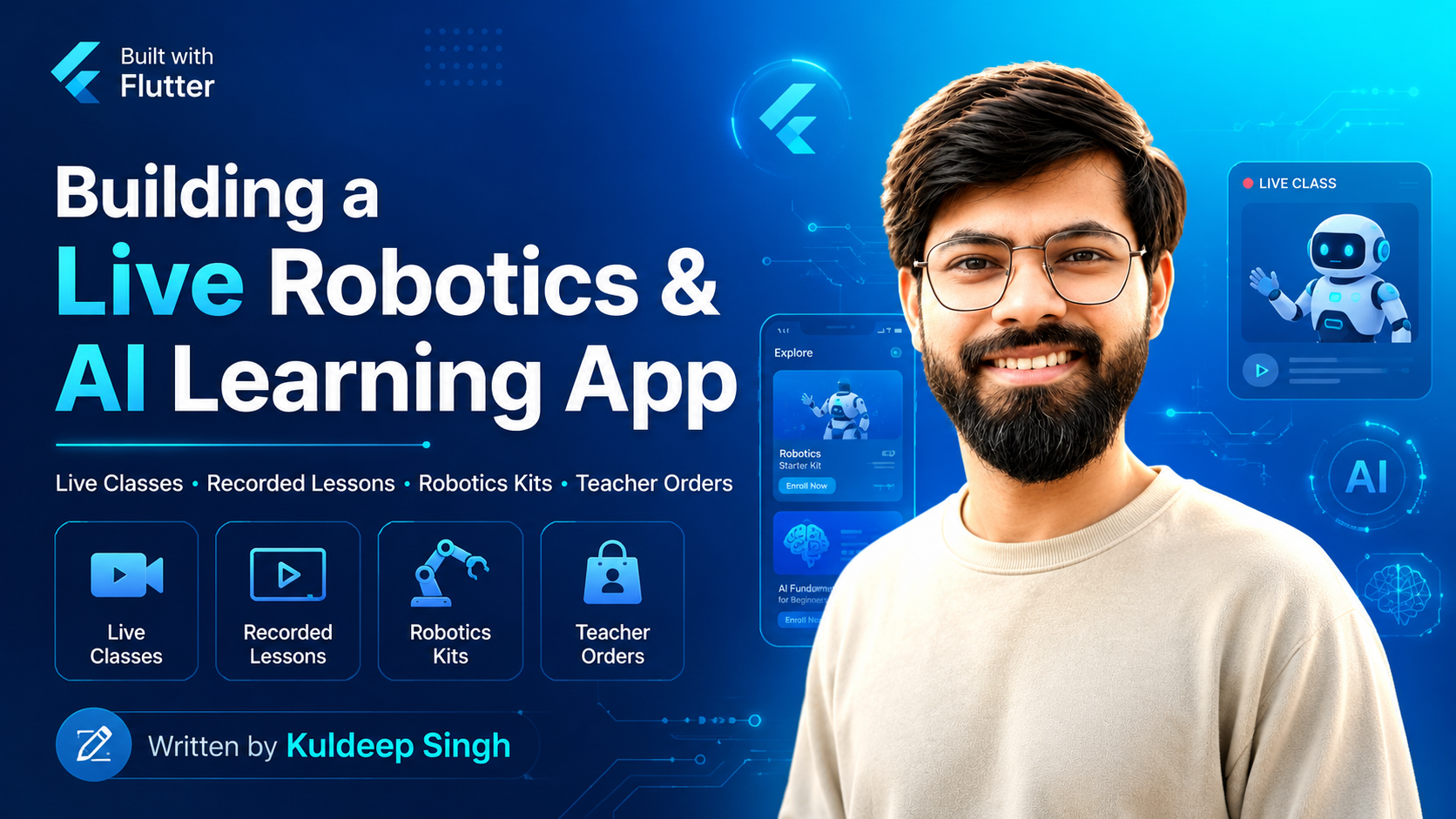
Building a mobile learning application is very different from building a simple video or e-commerce app. Is project ka main goal tha ek complete Robotics and AI learning ecosystem banana, jahan teachers directly app se live classes start kar saken aur students apne mobile se un classes ko join karke real-time learning experience le saken.
Shuruat mainly ek Live Classes application ke idea se hui thi, lekin development ke saath project ka scope kaafi bada hota gaya. Eventually, the application evolved into a complete platform combining live learning, recorded video classes, comments and replies, AI-related content, robotics kit purchasing, order management, and role-based functionality.
Idea simple tha — bachchon ko ek hi application deni hai jahan woh Robotics aur AI seekh saken, live class attend kar saken, doubts pooch saken, recorded videos dekh saken aur practical projects ke liye robotics kits bhi purchase kar saken.
The Main Goal: A Complete Live Learning Experience
The heart of this application is its Live Classroom System. Teacher apne account se live class start kar sakti hai aur relevant students ko app ke Live Classes section mein active session show ho jata hai.
Students simply active class open karke session join kar sakte hain. Real-time audio and video communication ke liye Agora SDK use kiya gaya, while the complete backend and REST API layer was developed using CodeIgniter 4.
Live session ke andar microphone, camera, camera switching, fullscreen mode aur leave/end call jaise controls diye gaye hain. Students messages ke through bhi interact kar sakte hain.
Technically ye feature screen par simple dikhta hai, lekin background mein real-time session state, user roles, channel joining, leave events aur rejoin lifecycle ko correctly manage karna काफी challenging tha.
Teacher Workflow
Teacher ke liye flow simple rakha gaya. Teacher Live Classes section open karti hai, active session start karti hai aur uske baad students us session ko join kar sakte hain.
Teacher microphone, camera aur camera switching controls manage kar sakti hai. Main focus tha ki technical complexity teacher ko feel na ho — एक button press karo aur class start ho जाए.
Student Workflow
Student side par active live classes automatically visible hoti hain. Student class select karke live session join kar sakta hai aur teacher ke saath real-time interact kar sakta hai.
The challenge was to keep the UI extremely simple for school students while handling complicated real-time states behind the scenes.
Challenge 1: Bottom Navigation — Chhoti Cheez, Bada Headache
One of the first major architecture challenges was the bottom navigation.
Application mein multiple primary modules hain:
- Home
- Learning Videos
- Live Classes
- Robotics Kit Store
- User Profile
Problem tab start hui jab same screen multiple places se open hone lagi.
For example, a student could open Live Classes directly from the bottom navigation, but the same Live Classes page Home screen ke shortcut card se bhi open ho sakti thi.
Ab issue ye tha ki agar Home se Live Classes open hui, to bottom navigation mein kaunsa tab selected show hona chahiye? Back press karne par user kahan jaye? Bottom navigation visible rahe ya nahi?
Ye sab chhoti-chhoti situations milkar navigation state ko complicated bana rahi thi.
The Solution
Navigation ko centralized tab-based architecture mein reorganize kiya gaya. Main bottom navigation state ko separately manage kiya aur un screens ko अलग रखा jo normal navigation stack mein push hoti hain.
Is approach se:
- Correct bottom navigation tab active raha
- Same feature multiple entry points se open ho saka
- Tab state preserve hui
- Unnecessary screen rebuilds reduce hue
- Back navigation predictable bani
Yahan ek important lesson mila: navigation sirf screen open karna nahi hota, navigation bhi application state ka part hota hai.
Challenge 2: Building Real-Time Live Classes with Agora
Live classes were easily one of the most technically challenging parts of this project.
The Flutter application handles the complete live classroom UI, while Agora manages real-time audio and video communication. CodeIgniter 4 backend live class records, user-related data and application-side session workflow manage karta hai.
Sirf class start kar dena enough nahi tha. Application ko multiple situations correctly handle karni thi:
- Teacher starts a new live class
- Student joins an active class
- User temporarily leaves the application
- Internet connection interrupts
- Student or teacher rejoins the same class
- Live session ends
- Agora resources are properly released
The Rejoin Problem — Sabse Tricky Issues Mein Se Ek
One of the most difficult issues was live class rejoining.
Kabhi-kabhi student ya teacher live class se bahar aane ke baad same class ko dobara join karta tha, lekin previous Agora RTC state properly clean nahi hui hoti thi.
Is wajah se issues aa sakte the such as:
- Old engine state remaining active
- Incorrect channel state
- Local video not rendering correctly
- Application behaving as if the user was already connected
- Duplicate initialization problems
Real-time applications mein यही सबसे बड़ा challenge hota hai — screen close ho gayi iska matlab ye nahi ki background session bhi automatically perfect state mein aa gaya.
The Solution
Live class lifecycle ko screen lifecycle se अलग manage kiya gaya.
Before joining or rejoining a class, application current session state verify karti hai. Old resources ko properly leave, reset or release kiya jata hai before creating or joining the next session.
The improved joining lifecycle became:
- Validate the active live class
- Check previous RTC/session state
- Prepare the Agora engine
- Configure audio and video
- Join the correct channel
- Update UI state after successful initialization
- Properly clean resources while leaving
Is lifecycle-based approach ke baad joining aur rejoining काफी reliable ho gayi.
Real-time apps mein problem aksar “join” function mein nahi hoti — problem previous session ko properly leave na karne mein hoti hai.
Recorded Robotics and AI Video Classes
Live classes ke saath students ko recorded content access bhi diya gaya.
Students Robotics, Artificial Intelligence, Coding aur different learning categories ke recorded lessons dekh sakte hain.
The video learning module includes:
- Video categories
- Lesson cards
- Custom video player
- Play and pause controls
- Seek controls
- Fullscreen playback
- View counts
- Likes
- Sharing
- Saved lessons
- Related learning content
Goal ye nahi tha ki बस video file open kar di जाए. I wanted the experience to feel more like a dedicated educational video platform.
Student live class miss kar de ya kisi topic ko dobara revise karna chahe, to recorded videos us learning journey ko continue karte hain.
Comments, Questions and Replies
Learning tabhi effective hoti hai jab student questions pooch sake.
Isliye video lessons ke saath comments and reply system bhi implement kiya gaya.
Student kisi lesson ke neeche अपना doubt ya comment post kar sakta hai, aur us comment par reply bhi kiya ja sakta hai.
Dedicated comment bottom sheet aur reply dialog use kiya gaya so that main learning screen unnecessarily cluttered na ho.
Behind the scenes, multiple states manage karni padti hain:
- Loading comments
- Posting a new comment
- Opening the correct reply dialog
- Submitting a reply
- Refreshing only the relevant comment thread
देखने में simple comment box hai, lekin nested replies aur reactive UI ke saath state management kaafi interesting ho jata hai.
AI News and Technology Content
The platform is not limited to scheduled classes and recorded videos.
Students AI-related news aur technology updates bhi read kar sakte hain, taaki unhe sirf syllabus-based learning nahi बल्कि real-world technology developments ke baare mein bhi pata chale.
आज AI technology बहुत तेजी से change ho rahi hai. Isliye students ke liye updated AI content aur news available karana platform ka important part hai.
This transforms the application from a simple classroom app into a broader Robotics and AI learning platform.
Robotics Kit E-Commerce Inside the Same Application
Robotics sirf theory se nahi seekhi ja sakti. हाथ से बनाना, experiment karna aur actual components use karna equally important hai.
Isi reason se application ke andar complete Robotics Kit purchasing system integrate kiya gaya.
Students can:
- Browse available Robotics and STEM kits
- View product details
- Check available stock
- See discounts
- Add products to cart
- Change product quantities
- Select delivery address
- Select location through map
- Choose payment mode
- Place an order
- Track the order
This creates a direct connection between learning and practical implementation.
Student class mein robot ke baare mein padhta hai, recorded lesson dekhta hai, aur phir wahi practical learning kit application se purchase bhi kar sakta hai.
Challenge 3: Cart State Management
Cart functionality ne ek aur interesting challenge introduce kiya.
Same product different screens se cart mein add ho sakta tha. Product listing, product details, floating cart button, cart screen aur checkout — sabko same cart state ke saath synchronized rehna tha.
Initially kuch situations mein:
- Cart badge updated tha but cart list old thi
- Quantity update hui but total immediately refresh nahi hua
- Checkout state aur cart state temporarily different ho sakte the
- Order placement ke baad old cart state remain kar sakti thi
Basically, एक cart tha, lekin usko dekhne wale screens bahut saare the.
The Solution
Cart state ko centralized source of truth banaya gaya using GetX reactive state management.
Product screens, cart, cart badge and checkout sabko same reactive state se connect kiya gaya.
Whenever:
- An item is added
- A quantity changes
- An item is removed
- An order is successfully placed
relevant UI automatically update hoti hai.
Isse duplicate state aur screen-to-screen inconsistency काफी reduce hui.
Challenge 4: Student Ka Order Sirf Uske Class Teacher Ko Dikhana
This requirement made the order system more interesting.
Student jab Robotics Kit purchase karta hai, uska order relevant class teacher ko visible hona chahiye.
Lekin teacher ko school ke saare students ke orders nahi dikhane the.
मतलब simple order API enough nahi thi. E-commerce data ko academic class and section data ke saath connect karna tha.
The Solution
Backend student ke current enrollment record se uski class and section identify karta hai.
Teacher ki assigned class and section ke basis par relevant students filter hote hain, aur teacher order dashboard mein only unhi students ke purchase orders show kiye jate hain.
Teacher can view:
- Student name
- Order ID
- Order date
- Total amount
- Purchased items
- Order status
- Complete tracking information
Search by order ID, student name, product and date filtering bhi add ki gayi.
Ye feature interesting tha because yahan school management data aur e-commerce data ek hi workflow mein connect ho rahe the.
Challenge 5: Complex Expandable Teacher Order Cards
Teacher order screen normal ListView nahi thi.
Har order ko initially compact card ke form mein show karna tha, lekin Details open karne par same card ke andar additional information display honi thi:
- Order tracking timeline
- Purchased items
- Quantity
- Subtotal
- Shipping
- Grand total
Issue ye tha ki ek card expand karne par doosre cards unnecessarily rebuild na hon aur filtering ke baad wrong order expanded state mein na aa jaye.
The Solution
Expansion state ko actual API order model se separate rakha gaya.
Isse UI state aur business data mix nahi hue. Har card independently open and close ho sakta hai without changing the actual order data.
Result was a cleaner teacher dashboard where detailed information sirf tab show hoti hai jab teacher actually dekhna chahe.
Adding a 3D Robot Inside a Carousel
Because the application is based on Robotics and AI, I also wanted the visual experience to feel more interactive.
A 3D Robot experience was added inside a carousel-style presentation.
यहाँ एक अलग challenge आया — carousel swipe gesture aur interactive 3D model gesture ek doosre ke saath conflict kar sakte the.
User robot ko rotate karna chahta hai, lekin carousel us gesture ko slide action samajh sakta hai.
The solution involved carefully managing active carousel state, gesture handling and avoiding unnecessary rebuilds of the heavier 3D component.
This created a much more immersive experience compared with a standard static image slider.
Delivery Address and Map Integration
Students multiple delivery addresses save kar sakte hain and checkout ke time required address select kar sakte hain.
Map-based location selection bhi integrate ki gayi, jisse user location visually choose kar sakta hai.
Checkout flow mein:
- Saved addresses
- Add new address
- Map location selection
- Cash on Delivery
- Online payment option
- Order summary
- Order confirmation
sab ek connected user journey ka part hain.
Application Architecture
The mobile application was built using Flutter and Dart.
GetX is used for:
- State management
- Reactive UI updates
- Dependency management
- Navigation
The backend was developed using CodeIgniter 4, which provides REST APIs for:
- User authentication
- Student and teacher information
- Live class records
- Recorded lessons
- Comments and replies
- AI-related content
- Robotics products
- Cart and orders
- Student enrollment
- Class and section mapping
- Teacher-specific order filtering
Firebase services are also used where required for application communication and notifications.
Flutter Mobile App
        |
        | REST APIs
        v
CodeIgniter 4 Backend
        |
        +-- Authentication
        +-- Student / Teacher Data
        +-- Learning Videos
        +-- Live Class Records
        +-- Comments & Replies
        +-- AI Content
        +-- Robotics Products
        +-- Cart & Orders
        +-- Class / Section Mapping

Real-Time Video Classes
        |
Flutter App <------ Agora ------> Live Session
Designing for Students and Teachers
Application mein functionality बहुत ज्यादा hai, lekin UI ko intentionally simple rakha gaya.
The design system uses:
- Clear action buttons
- Consistent rounded cards
- Responsive layouts
- Role-based screens
- Clear navigation states
- Dedicated empty states
- Reusable components
- Light and dark theme support
Main objective tha ki app ek traditional school ERP jaisi feel na de.
It should feel like a modern Robotics, AI and STEM learning product — something students actually enjoy opening and using.
What I Learned from This Project
This project combined several systems that are normally built as separate applications:
- Real-time video communication
- Recorded educational videos
- Comments and discussions
- AI news and educational content
- E-commerce
- Cart and checkout
- Order tracking
- Academic class mapping
- Teacher-specific dashboards
Sabse important learning ye rahi ki complex application ko manageable banane ke liye UI state, business data, navigation state aur real-time session state ko अलग responsibilities ki tarah treat karna जरूरी hai.
Some of the biggest technical learnings were:
- Managing the complete Agora session lifecycle
- Handling reliable leave and rejoin behaviour
- Synchronizing bottom navigation across multiple entry points
- Centralizing cart state
- Connecting school academic data with e-commerce orders
- Managing expandable order cards efficiently
- Handling 3D content inside a carousel
- Building responsive interfaces for very different modules
हर feature ka UI banana comparatively easy hota hai. Real challenge tab start hota hai jab saare features ek doosre ke saath correctly work karne chahiye.
Final Result
The final product is much more than a live classroom application.
It is a complete Robotics and AI learning platform where students can:
- Attend real-time live classes
- Leave and rejoin active sessions
- Watch recorded Robotics and AI lessons
- Ask questions through comments
- Reply to discussions
- Read AI-related news and educational content
- Explore Robotics and STEM kits
- Purchase learning kits
- Select delivery addresses
- Track their orders
At the same time, teachers can start live classes and monitor Robotics Kit purchases made by students belonging to their assigned classes.
मेरे लिए इस project ki सबसे अच्छी बात यही है कि इसमें education, live communication, technology aur practical learning ko ek single mobile experience mein connect kiya gaya hai.
Learn live. Watch again. Ask questions. Explore AI. Build robots. Purchase the tools you need — all inside one application.
Conversation
No approved comments yet. Start the conversation.